EnhanceMySe7en Pro/Free

EnhanceMySe7en is an advanced enhancing, optimizing, information and tweaking tool for Microsoft Windows 7 ...
Download Order

EnhanceMyVista Pro

EnhanceMyVista is an easy to use yet advanced enhancing, optimizing and tweaking tool for Windows Vista ...
Download Order

NetBalancer Pro/Free

NetBalancer is an internet traffic control and monitoring tool designed for Microsoft Windows XP/2003/Vista/7 ...
Download Order

UndeleteMyFiles Pro

UndeleteMyFiles Pro is a tool to recover accidentally deleted files from hard disks, USB flash drives, CF and SD cards ...
Download Order

NetBalancer

Download Pro Version Order Now Download Free Version Press Release

Browse and do any internet activity comfortably even when your download manager or torrent client downloads huge files from internet - just lower their network priority with NetBalancer.

NetBalancer is an internet traffic control and monitoring tool designed for Windows XP/2003/Vista/Win7, both x86 and native x64.

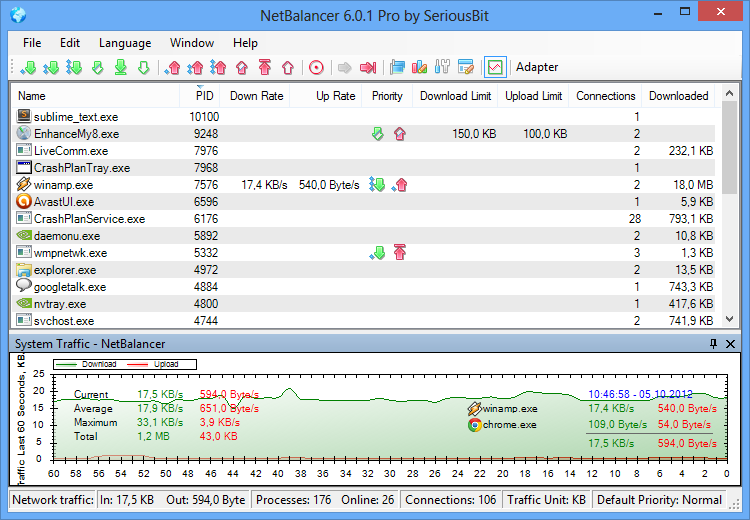
You can use NetBalancer to set download/upload transfer rate priority for any applications and monitor their internet traffic.

Applications with a higher network priority will gain more traffic bandwidth than those with a lower one.

The most important features of NetBalancer are:

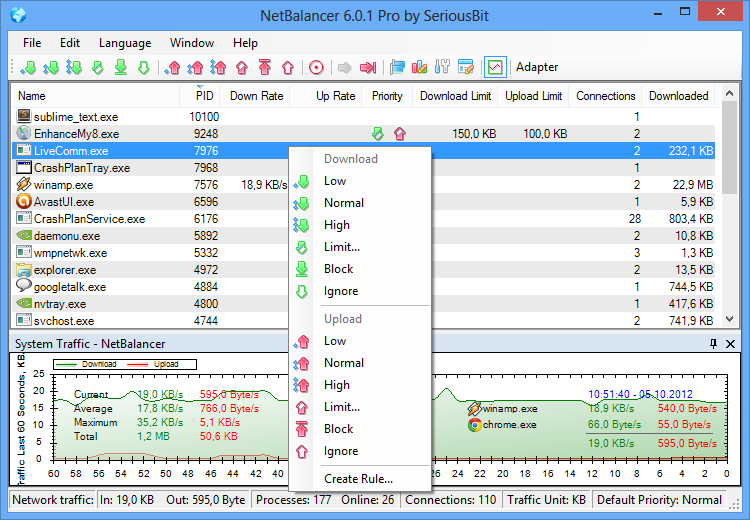
  • Set download and upload network priority for any process. Currently supported priorities are:
    • High priority
    • Normal priority
    • Low priority
    • Block traffic
    • Ignore traffic
    • Limit traffic
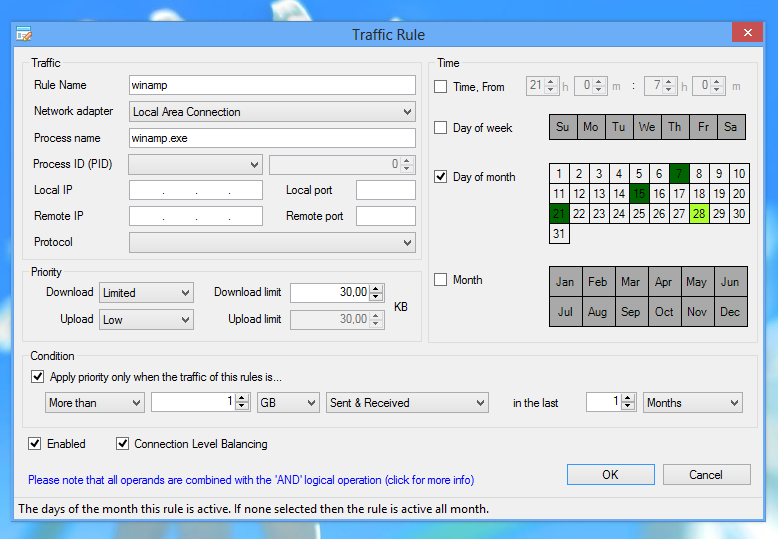
  • Set download and upload speed limits for a process
  • Manage priorities and limits for each network adapter separately
  • Show all system processes with their in and out network traffic speed
  • Show current connections for any process
  • Show downloaded and uploaded traffic for any process since NetBlancer's start
  • View overall system traffic as a graph
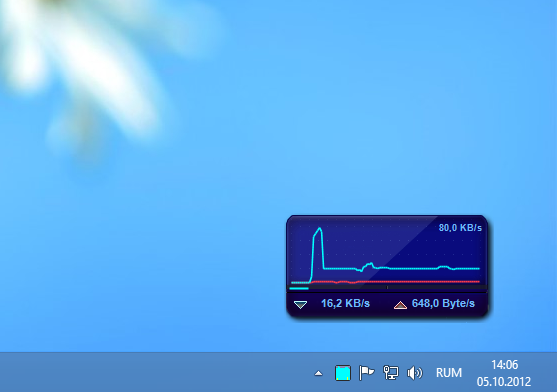
  • Show last 15 seconds traffic in system tray
  • Fine tune priorities (see Level Severity setting)
  • Native 64 bit support for best performance
  • Set global traffic limits
Also NetBalancer has a menu option "Request a Feature". Using it, a user can notify us of a feature that he/she would like to see implemented. We value feedback and strongly consider implementing each request.

The main difference between NetBalancer and other traffic shaping software is that NetBalancer works with priorities, so applications with low priority won't be limited if other high priority applications don't use network.

*The Free version is limited to 5 process priorities/limits at a time and no separate network adapters management

        Click for more screenshots...

Download Pro Version Order Now Download Free Version Press Release